 Rooster
Rings.
Even on Silent.
For people every other alarm has failed. Rooster is built on Apple's alarm engine, so it rings through the Silent switch, Do Not Disturb and every Focus. Full volume, ringer at zero, app closed.


Scan with your iPhone to open the App Store
Free forever: the alarm. iOS 26 or later.
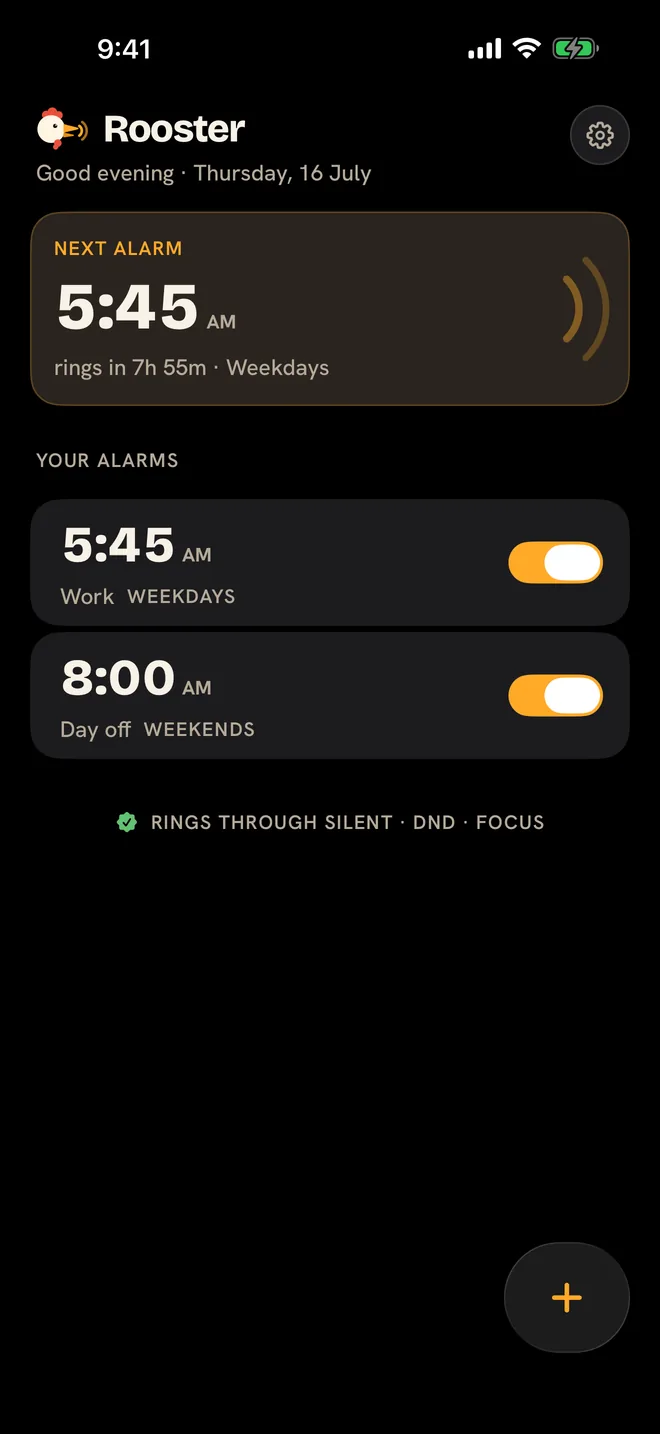
Built on Apple's own alarm engine.
Rooster schedules alarms with AlarmKit, the same system framework behind the iPhone's Clock app. That is why it can do what ordinary alarm apps cannot.
Silent switch on
Rings at full volume with the ringer at zero.
DND and Focus on
Breaks through Do Not Disturb and every Focus mode.
App closed
Rings after a force quit. Rings after a restart.
Missions get you out of bed
To stop the alarm, you complete a mission built for a brain that is still half asleep. Stack up to 3 for the mornings that matter. A snooze can never dismiss.
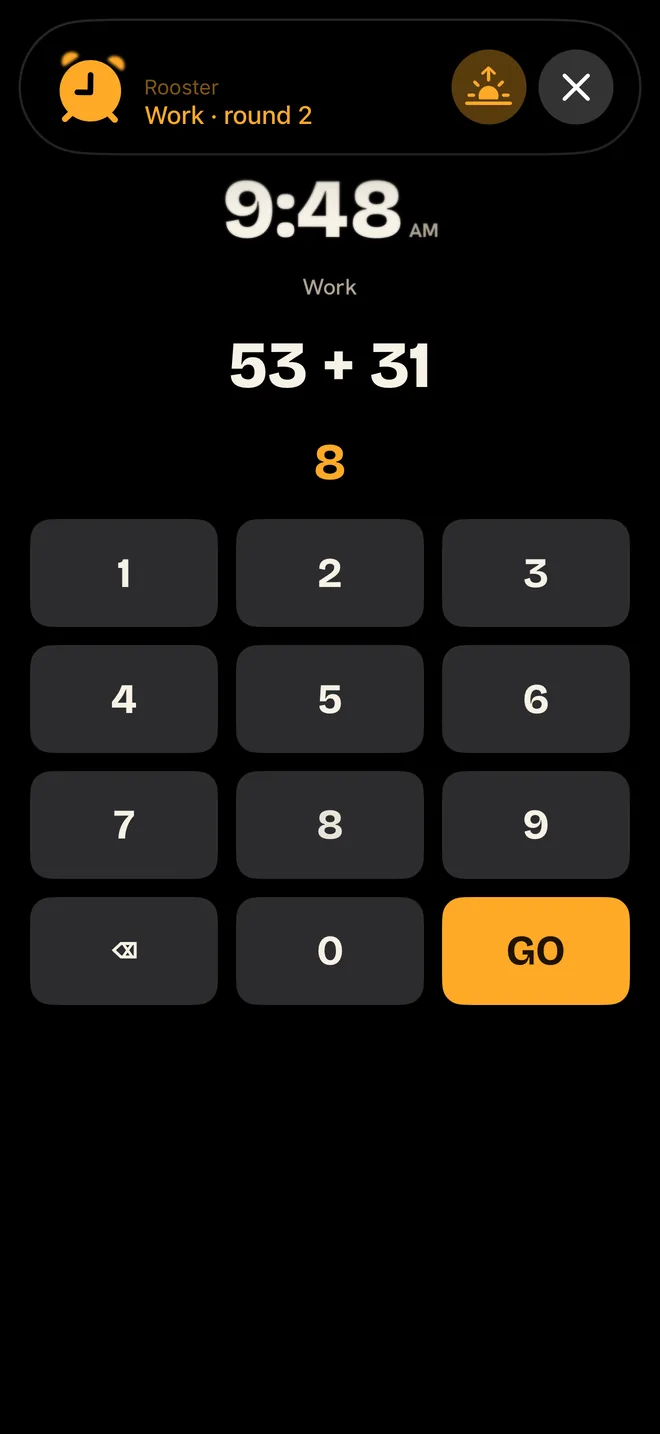
Math
Three levels, from gentle to wide awake.
Steps
Walk it off, counted by your phone.
Photo match
Photograph your bathroom sink to prove you are up.
Scan
The barcode on your toothpaste works.
NFC tag
Stick one across the room. Works in the dark.
Shake
The gentle one.
Every mission has an escape hatch.
Hold 10 seconds, type "I give up", and the alarm stops. It always works, even with a broken camera. Effortful. Never impossible.
One alarm, not fifteen
Everything you currently do with fifteen alarms, done properly by one.
Escalation
Each unanswered round rings louder than the last. The volume does the insisting, so you do not need a backup alarm for the backup alarm.
Wake check
Dismissed, then drifted off again? Five minutes later Rooster asks if you are still up. No answer, and it rings once more.
Shift rotations
Days, nights, 4 on 4 off. Build the rotation once and the schedule takes care of itself.
Your own sounds
Import any audio file and wake to the one sound you cannot sleep through.
A snooze can never dismiss
Snooze and stop live at opposite ends of the screen, and a snooze always rings again. That is enforced by the system, not by a promise. You choose the snooze length and how many are allowed.
Snoozed, rings again at 5:54 AM.
Every morning, on the record
Rooster writes down what happened: armed, fired, snoozed, dismissed, and when. If you ever wonder whether it rang, the answer is written down.
Dismissed, after Steps
Today at 5:52 AM
Fired
Today at 5:45 AM
Armed, rings in 7h 55m
Yesterday at 9:50 PM
Private by architecture.
Mission photos are compared on your phone and never uploaded. There is nothing to sign into and nothing sold. The only thing that leaves the phone is anonymous crash and usage data. Read the privacy policy.
Free forever: the alarm.
Free
The alarm.
$0
No account, no ads, no catch
- Rings through Silent, DND and Focus
- Repeat schedules and labels
- Snooze rules you control
Pro
The part that gets you out of bed.
$24.99 a year
about $2.08 a month
One week free to test everything
- 6 missions, stack up to 3
- Escalation that rings louder each round
- Wake check that rings once more if you doze off
- Shift rotations
- Import your own sounds
- The escape hatch, on every mission, always
Lifetime
Pro, paid once.
$34.99
One payment, yours forever
- Everything in Pro
- No subscription, nothing renews
- Yours forever
That's the whole price list.
Purchases are handled by Apple. The free week converts to the yearly plan unless you cancel before it ends, and you can cancel anytime from your App Store subscriptions. Prices shown in US dollars.
Fair questions
Will it really ring on Silent?
Yes. Rooster schedules alarms through AlarmKit, Apple's system alarm framework, the same machinery behind the Clock app. The Silent switch, Do Not Disturb and Focus modes do not apply to system alarms.
What if a mission is impossible in the moment?
Hold 10 seconds and type "I give up". The escape hatch is on every mission screen and always works, even with a broken camera or a missing NFC tag.
Does it work on Android or iPad?
No. Rooster is iPhone only and needs iOS 26 or later, because AlarmKit exists only there.
What is free and what is Pro?
Free forever: alarms that ring through Silent, repeat schedules, labels, and snooze rules. Pro adds the missions, stacking, escalation, wake check, shift rotations and imported sounds. $24.99 a year or $34.99 once.
What do you collect about me?
There is no account and there are no ads. Mission photos never leave your phone. Rooster sends anonymous crash and usage signals, nothing that identifies you. The privacy policy has the details.
How do I cancel?
Subscriptions are handled by Apple. Open your App Store subscriptions and cancel there. Pro stays active until the end of the paid period.
Replace fifteen alarms with one that cannot fail.
iOS 26 or later. The alarm is free forever.